We moved our AI workloads off the cloud and cut costs by 88%. Here's when enterprises should do the same.
When running AI on your own hardware actually pays off, answered through the three questions enterprises keep asking: control, cost, and performance.
The compute behind our product cost close to $80,000 a year in the cloud. We moved it to on-prem AI hardware: two NVIDIA DGX Spark units in our office. They paid for themselves in about six weeks. The full technical recipe covers the architecture and the line-by-line costs.
For most of the last decade, running AI on your own hardware was treated as a step backwards. Cloud-first was the default, and moving a workload back in-house was something few companies wanted to admit to. So when our CEO, Naama BAK, wrote on LinkedIn that we had done exactly that, and reduced our AI costs by 88% in the process, the reaction was larger than we expected.
The post traveled, and the comments pushed back hard on three things: control, cost, and performance. On-prem is being debated seriously again.
Are companies really moving AI back on-premise?
Some are, workload by workload. Flexera's 2026 report puts the share of workloads moved back out of the public cloud at 23%, up from 21% the year before.
We are not the only ones doing this. Our own clients are making the same move. Cerfrance Maine-et-Loire, an accounting firm in western France, recently deployed AI-in-a-Box in its offices, built on a Dell Pro Max GB300. The AI runs locally, and none of the data leaves the building. Their CEO Michel Besançon talks about the GB300 deployment.
The same trend shows up in the wider numbers. Flexera's 2025 State of the Cloud Report found that 21% of cloud workloads had been moved back out of the public cloud over the previous year, and its 2026 edition puts that figure at 23%. That said, most workloads still run in the cloud. It can be seen as a shift, not a full pullback.
What changed is the default. For years, every new workload went to the public cloud almost automatically. Now each one is looked at on its own and placed where it belongs.
Each of the three questions from the comments is a reason a company might look again at running AI on its own hardware.
What happens if an on-prem AI server fails?
You plan for it, as you would in the cloud. We run two units behind a load balancer, with cloud capacity kept as a fallback, so downtime stays in minutes.
The most common question was reliability. What happens when a machine fails? In our own setup, two units run behind a load balancer, with the cloud kept as a fallback, so any downtime can be kept to minutes. We build the same redundancy for clients running AI-in-a-Box.
Why do regulated companies keep AI on their own hardware?
Because the data they most want to use is the data that can't leave the building. Contracts, client records and source code stay inside systems they operate.
But a machine failing isn't the real dependence. The larger reason companies move on-prem is control: not leaving a capability they rely on, or the data behind it, in the hands of an outside provider. A model you do not host can be changed, restricted or switched off, whether by the company that runs it or by a shift in another country's policy. Running it yourself removes that risk.
The same holds for the data. In a regulated business, the most valuable AI work usually involves precisely the information that is not allowed to leave the organization: contracts, customer records, financial data, patient files, technical specifications and source code. When the model runs on your own hardware, that data stays inside systems you operate, and you decide where it sits at every step. In defense, finance or healthcare, that's the whole point.
That is the case for our client Cerfrance as well. An accounting firm's records are precisely the kind of data that cannot leave the organization: client accounts, contracts, internal procedures. Running the AI on-site is what lets them use it on that material at all.
The one thing you take on is the backup. With that handled, you own the model, the data, and the walls around them. You also control what it costs to run, which is worth a closer look.
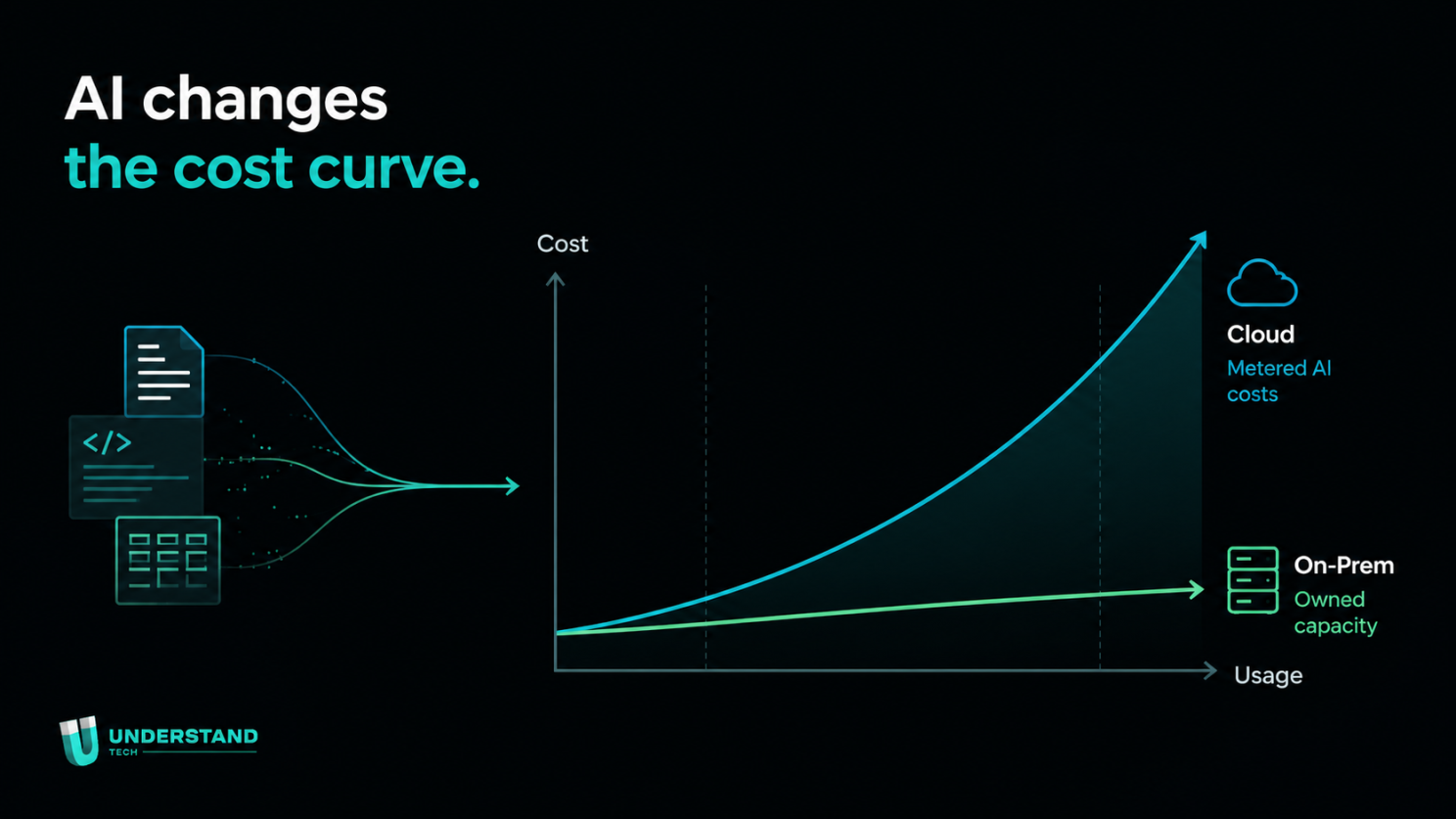
Metered cloud costs follow usage. Owned capacity stays flat, however heavily the team uses it.
Is on-prem AI cheaper than the cloud?
For steady workloads, yes, by a wide margin. Our cloud inference bill was $79,200 a year, and the two DGX Spark units that replaced it cost $9,800 plus about $1,700 a year to run.
The second question was utilization. How much of the hardware would you keep busy? Owning and renting are charged differently. When you own a machine, you pay for it whether it is working or idle. When you rent from the cloud, you pay only for the hours you use. So AI that runs only occasionally is cheaper in the cloud, and owning only pays off when the hardware is kept busy.
In production, AI usually keeps the hardware busy. Inference, the everyday work of running a model, now makes up most of AI computing, and it runs through the day rather than in short bursts. Lenovo's 2026 analysis found on-premises inference several times cheaper per million tokens than cloud, as long as the machines stay busy.
The bigger gain is knowing what you will spend. This brings us back to control. In the cloud, the bill rises with every request, and next month's figure is a guess until it arrives. That's why companies cap their teams and tell their developers to go easy on the model. Our clients bring this up often: token bills climbing, and no way to plan around them. With the hardware in your own environment, there is no token metering. You pay a fixed amount for the capacity, and that figure stays the same however heavily your team uses it.
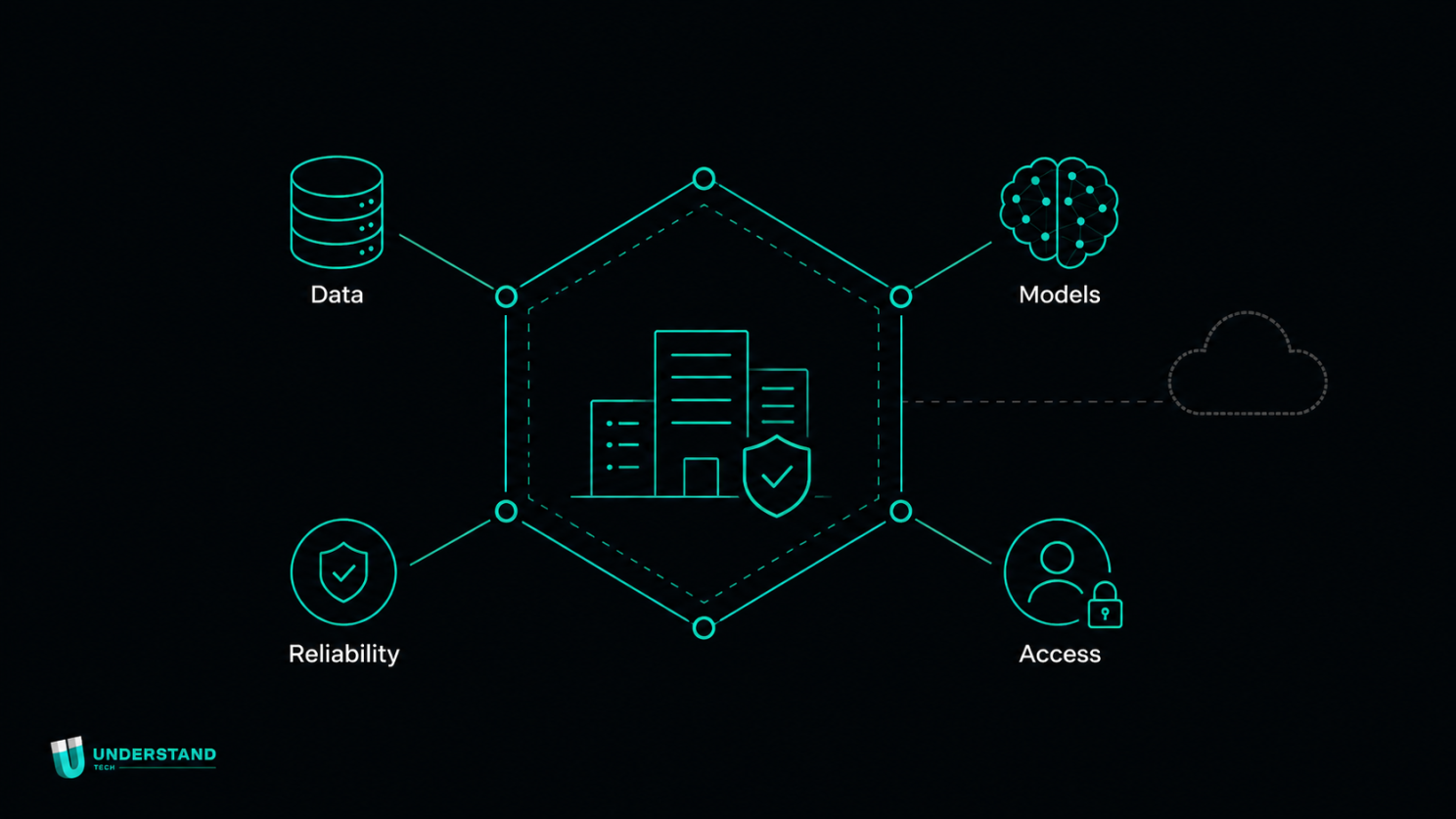
Data, models, access and reliability inside your own walls - the cloud stays an option, not a dependency.
What does on-prem AI cost over three years?
Over three years, the cloud setup comes to $237,600. On-prem comes to about $14,900, including power and the VPN.
| Cloud (2× g6e.8xlarge) | On-prem (2× DGX Spark) | |
|---|---|---|
| Year 1 | $79,200 | $11,500 |
| Year 2 | $79,200 | $1,700 |
| Year 3 | $79,200 | $1,700 |
| 3-year total | $237,600 | $14,900 |
The line-by-line cost breakdown is in the technical recipe. For AI-in-a-Box, see our on-prem AI pricing.
When does on-prem AI stop paying off?
When the hardware sits idle. Occasional or bursty workloads are cheaper in the cloud, because you only pay for the hours you use.
There are other limits. A three-year reserved cloud instance would have cut our bill by about 85% without leaving AWS, if we had been willing to lock in the same hardware and models for three years. On-prem also means you handle on-call and hardware replacement yourself. And if a workload needs four nines of availability, the redundancy costs more wherever it runs. For our workload, minutes of downtime were acceptable, so the math held.
How many users can on-prem AI hardware serve?
It depends on the machine. Our two GB10-based units carry about 25 concurrent sessions, and a GB300-class system serves hundreds of users, which is what CerFrance runs today.
The third question was performance and scale. Two small machines are not a direct replacement for a fleet of high-end cloud GPUs. The DGX Spark units in our office run on NVIDIA's GB10 chip, enough for a small team like ours. Heavier demand calls for heavier hardware, and the same platform runs on far more powerful systems. A GB300-class machine can serve hundreds of people, which is what our client Cerfrance is running today. You match the hardware to the workload, from one team to an entire organization.
This is what AI-in-a-Box was built for. It runs the full Understand Tech platform inside your own environment: local models, retrieval, workflows, APIs, role-based access, audit logs and encrypted storage, with the option to run fully air-gapped. Whichever hardware it runs on, your data stays inside your own systems. And because the same platform runs across secure SaaS, private cloud and on-prem, a workload can move into a more controlled environment as it grows, without being rebuilt.
Understand Studio, our app builder, now runs on-prem as well. A team can describe a business application in plain language, build it on local models alongside the data it uses, and run it entirely in-house. Read more about our on-prem LLM server.
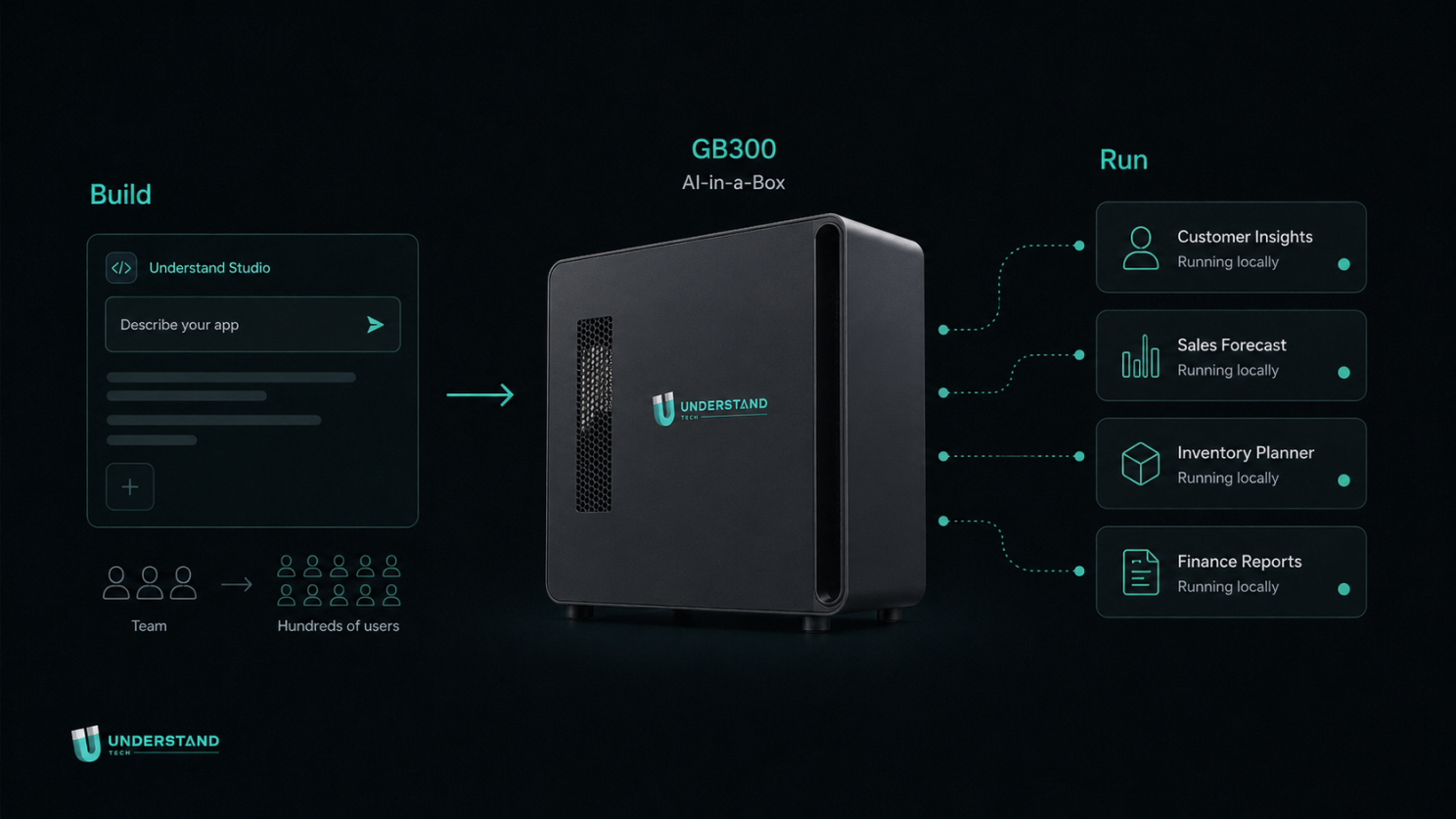
Describe the app in Understand Studio, run it on AI-in-a-Box: built and served entirely in-house, one GB300 for hundreds of users.
Which AI workloads should stay in the cloud?
Occasional, bursty and experimental ones. Steady, heavy and sensitive workloads are the ones worth pricing on your own hardware.
The decision has become more specific. Rather than choosing cloud or on-prem across the board, companies now decide workload by workload. How much control you need over your data and workflows, and how predictable you need the costs to be, are questions that deserve a fresh look. The steady, heavy and sensitive work tends to stay in-house. Everything else goes to the cloud.
If parts of your AI spend are steady, heavy or sensitive, those are the workloads worth pricing on your own hardware.
Sources
Flexera, 2025 State of the Cloud Report: https://www.flexera.com/blog/finops/the-latest-cloud-computing-trends-flexera-2025-state-of-the-cloud-report/
Flexera, 2026 State of the Cloud Report: https://resources.flexera.com/web/pdf/Flexera-State-of-the-Cloud-Report-2026.pdf
Lenovo Press, On-Premise vs Cloud: Generative AI Total Cost of Ownership (2026 Edition): https://lenovopress.lenovo.com/lp2368-on-premise-vs-cloud-generative-ai-total-cost-of-ownership-2026-edition